


Before and after, stamped, sent as a PDF
DonePix: Job Site Photo Report
DonePix is an iPhone app for the one-man trade business — plumbers, electricians, HVAC techs, handymen, painters, roofers. You shoot the before and after photos on the job, they file themselves under that job with the date, time and street address stamped onto the image, and before you pull off the drive you send the client a PDF report with your own business name on the cover.
The same photos help get the job paid. How to add photos to an invoice goes through which invoicing tools — QuickBooks, Square, PayPal, Xero and others — put the photos on the invoice itself, and which only attach them as files.
On the App Store. iPhone only, iOS 17 and later. The free plan keeps every feature for your first 3 jobs; DonePix Pro ($9.99 a month, or $49.99 a year with 3 days free) lifts the limit.
Photos file themselves
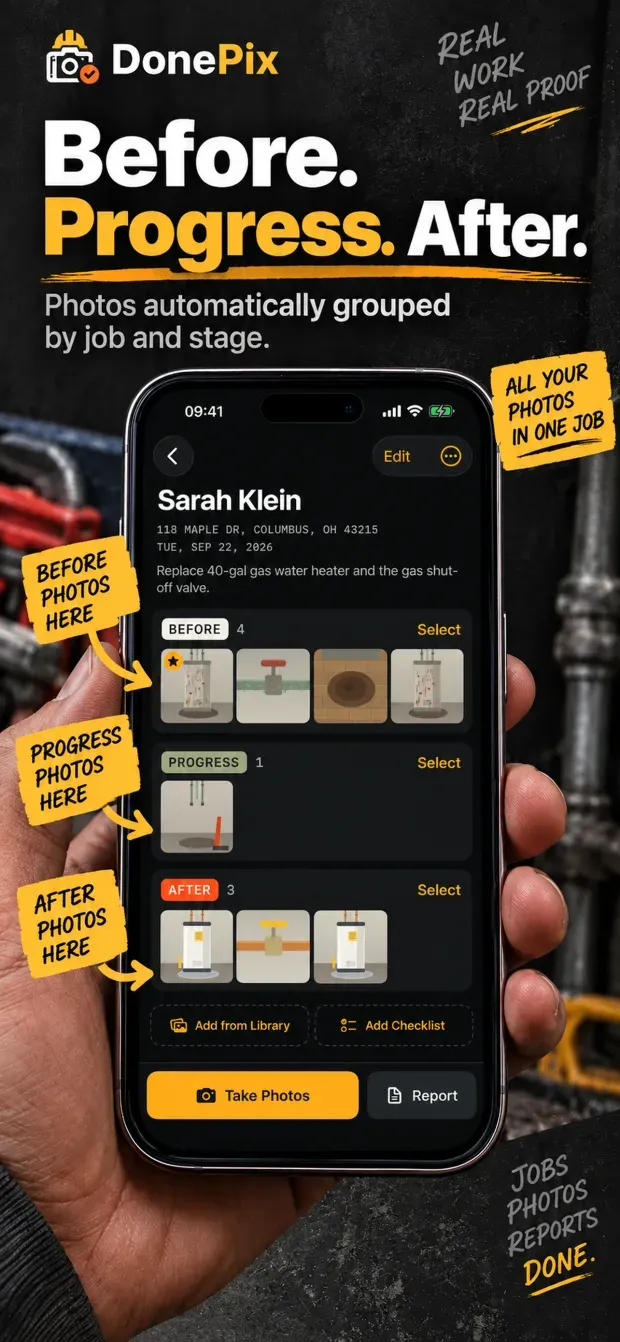
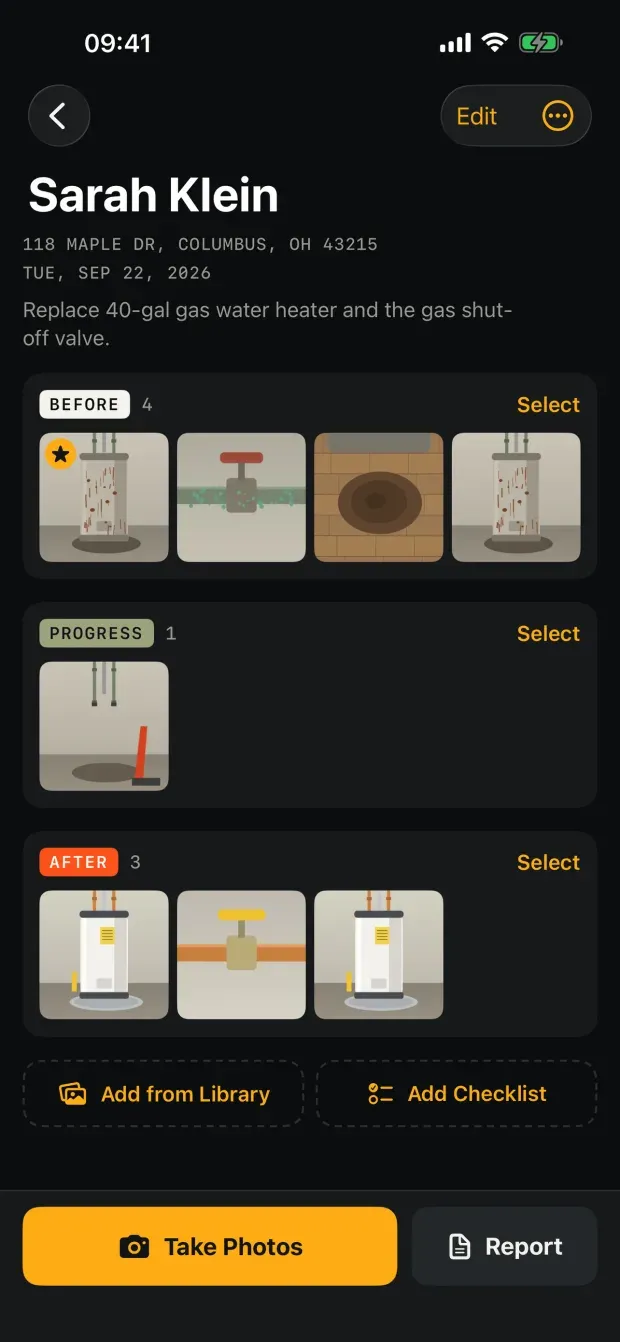
- Shoot straight into Before, Progress or After — one tap on the selector beside the shutter, and nothing to sort out afterwards.
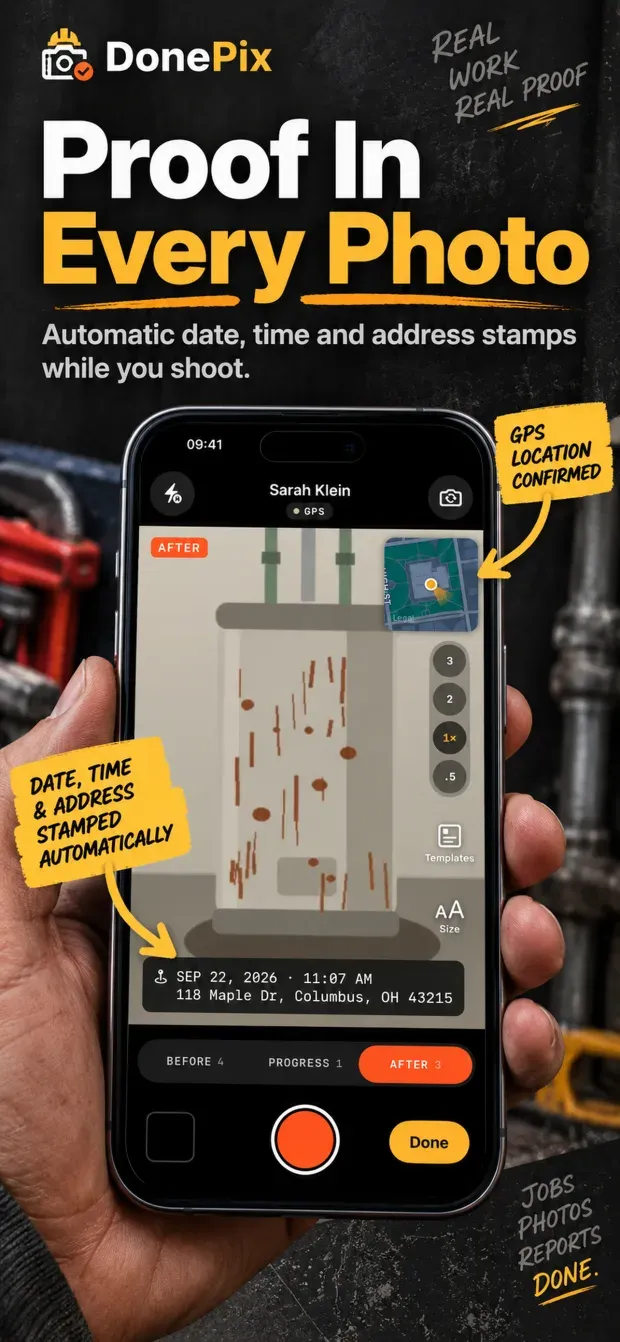
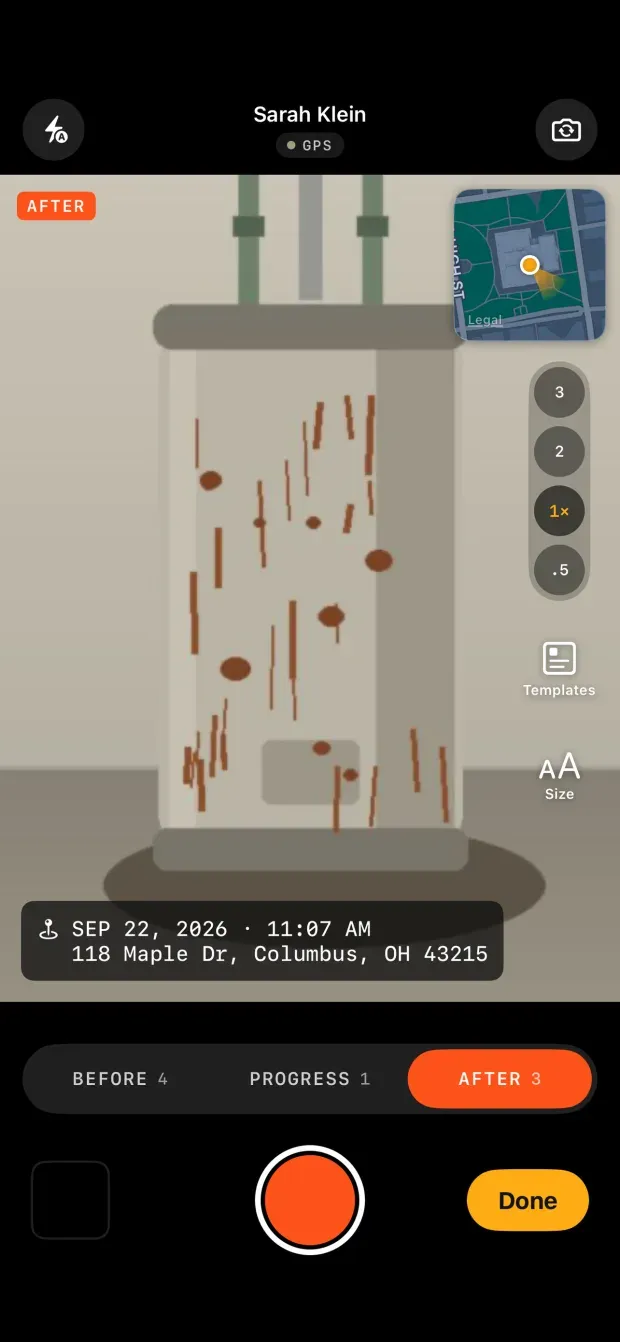
- Every photo carries the date, time and street address, drawn onto the image as it is taken.
- A small map in the viewfinder, so you can see the GPS has you at this house and not next door.
- Photos stay in the job rather than in your camera roll. If you want them in Photos as well, a switch copies each one, stamp and all, into a DonePix album.
The address on the stamp is the job’s address, not one guessed from each photo’s own GPS. Indoors a coordinate lands twenty to sixty metres out, and a US lot is twenty to thirty metres wide — a client who sees the neighbour’s house number printed on a photo of their own house stops believing the stamp, which is the opposite of why it is there. When a job has no address yet, the photo’s own coordinate fills it in.
A report the client takes seriously
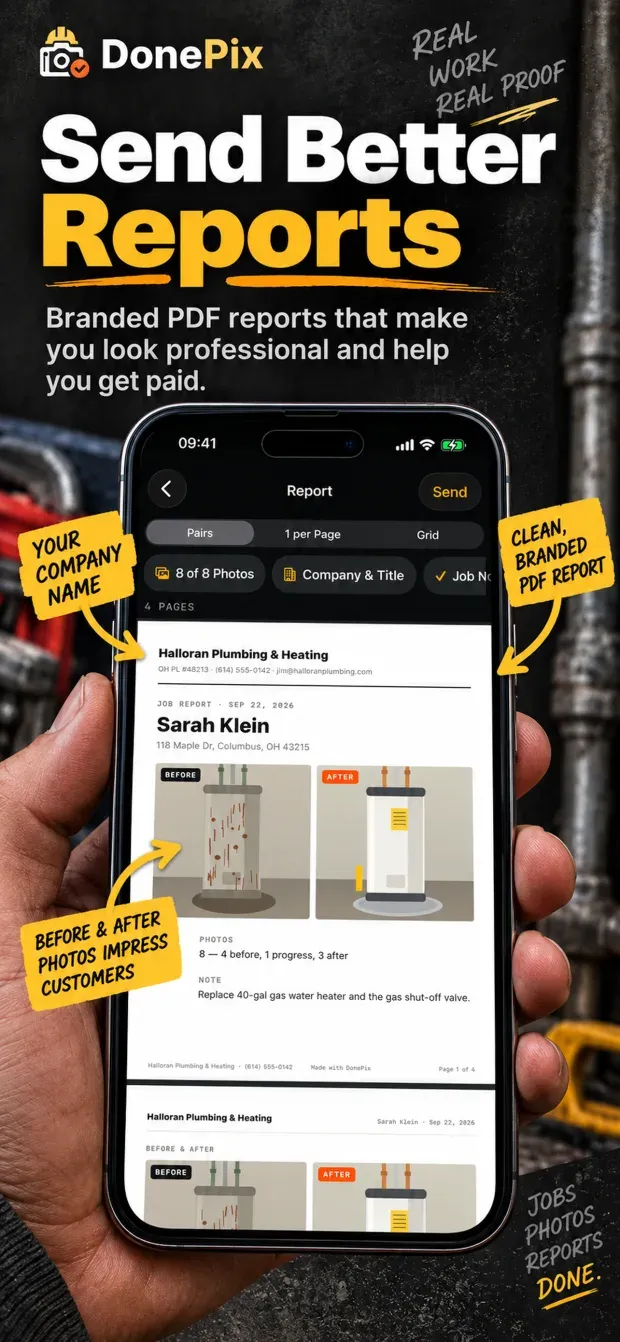
- Your business name, phone, licence number and logo on the cover.
- Before and after side by side, one photo per page, or a contact-sheet grid.
- Pick which photos go in, add captions, print the job note and the checklist.
- Call it JOB REPORT, SERVICE REPORT, INSPECTION REPORT — your trade, your wording.
- It goes out as an ordinary PDF through the share sheet: Messages, Mail, WhatsApp, AirDrop. The client needs nothing installed.
A field you left empty is not printed. No “Not provided”, no blank boxes — the report has to look right when all you typed was a client’s name.
Estimates and invoices from the same job
- Write the estimate on site from the job screen, and when the client says yes, Turn into Invoice — the client and the address are already there.
- Line items with quantity, price and a Taxable switch; a discount as an amount or a percentage; terms of due on receipt or Net 7, 15 or 30.
- Your own numbering, with the prefix you choose (
EST-andINV-to start). - One tax rate for everything, or a rate per document. A second tax line for Canada — GST and PST, or TPS and TVQ in Quebec — and your tax registration numbers on the page. The rate is copied into each document, so changing it later does not change what you already sent.
- How to Pay prints your own payment instructions: a Zelle, Venmo or Stripe link, whatever you take.
- Saved items are offered as you type, so the same fitting is not typed twice.
- Draft, Sent and Paid, with Overdue shown when the due date passes, and what each job is still owed right on the job list.
Each goes out as its own PDF, in the same design as the report. DonePix does not work out tax for you by state or province — it uses the rates you type — and it does not take payments; it is not accounting software or an e-invoicing service.
English, Spanish and French
The app follows the iPhone’s language: English, Spanish or Canadian French. What the client reads has a language of its own, set in Settings → Paperwork Language, so a contractor who runs the app in Spanish can still send an English invoice to an English-speaking homeowner, and a Quebec invoice goes out in French with its dates and amounts written the French-Canadian way.
A closer look
01 / 06
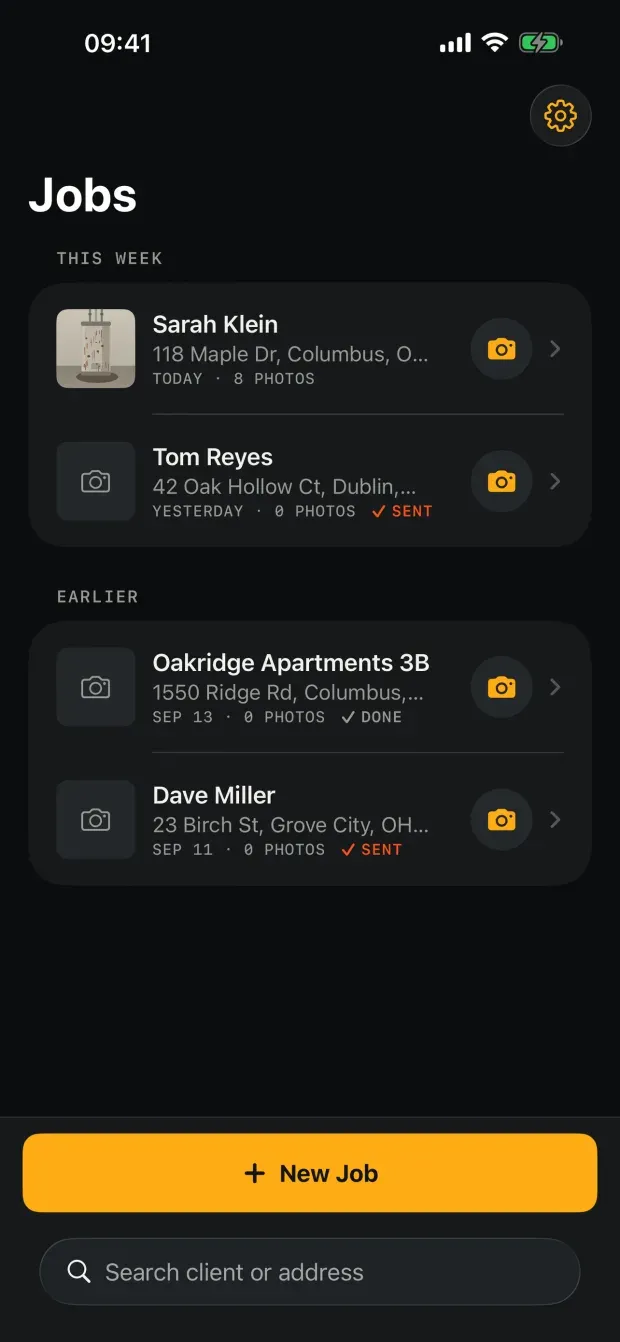
Jobs
The first screen is the work, not a welcome tour. A camera button on each row starts shooting without opening the job.
02 / 06
Inside a job
Photos sit in three fixed sections. Everything else about the job happens on this one screen.
03 / 06
Camera
The stamp is drawn on the viewfinder, so you see what the photo will carry before you take it. The map is there to check the GPS landed on this house.
04 / 06
Stamp templates
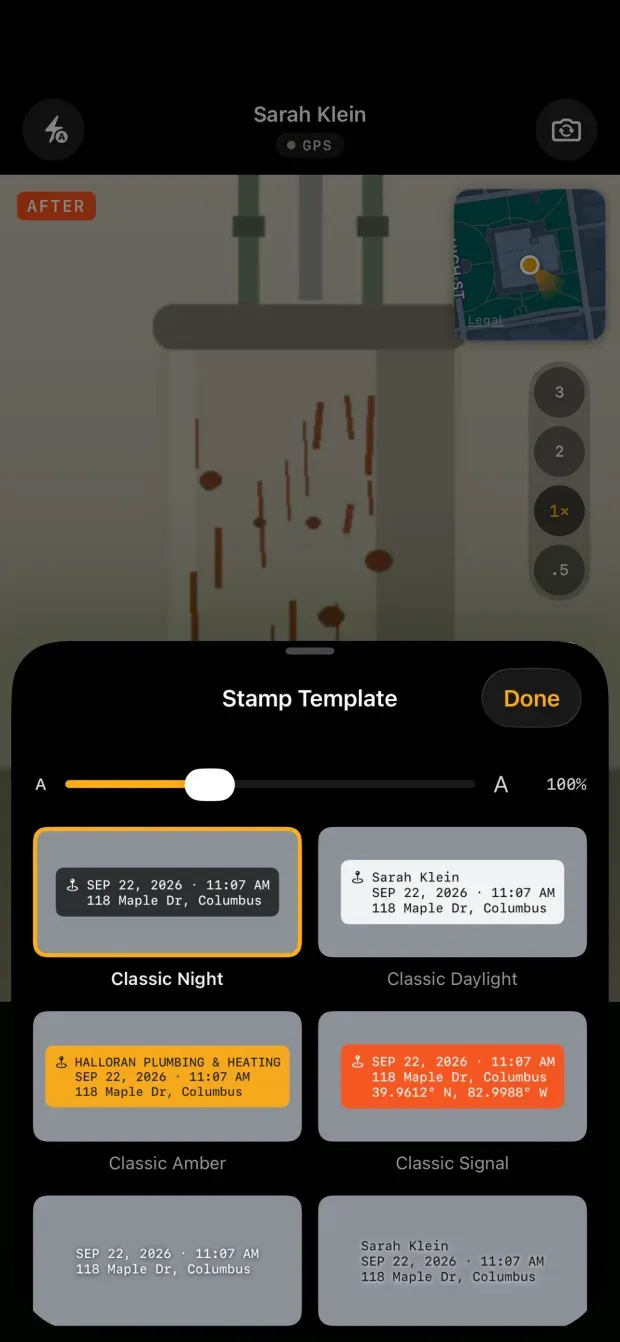
Three dozen templates, picked while you are shooting. Each one carries its own lines, not just its own colours.
05 / 06
One photo
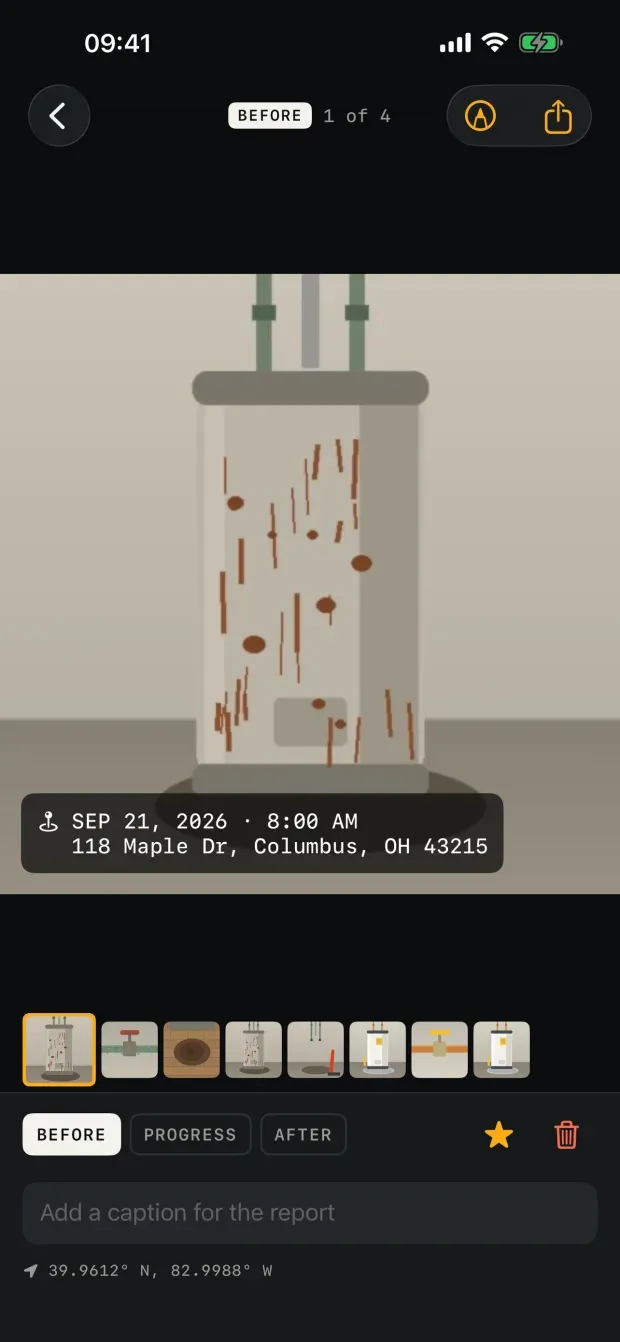
Caption it, move it between sections, mark it up. The drawing is kept apart from the photo, so the original is never altered.
06 / 06
Report
A preview of the real pages, not a list of options. Send hands it to the share sheet as an ordinary PDF.
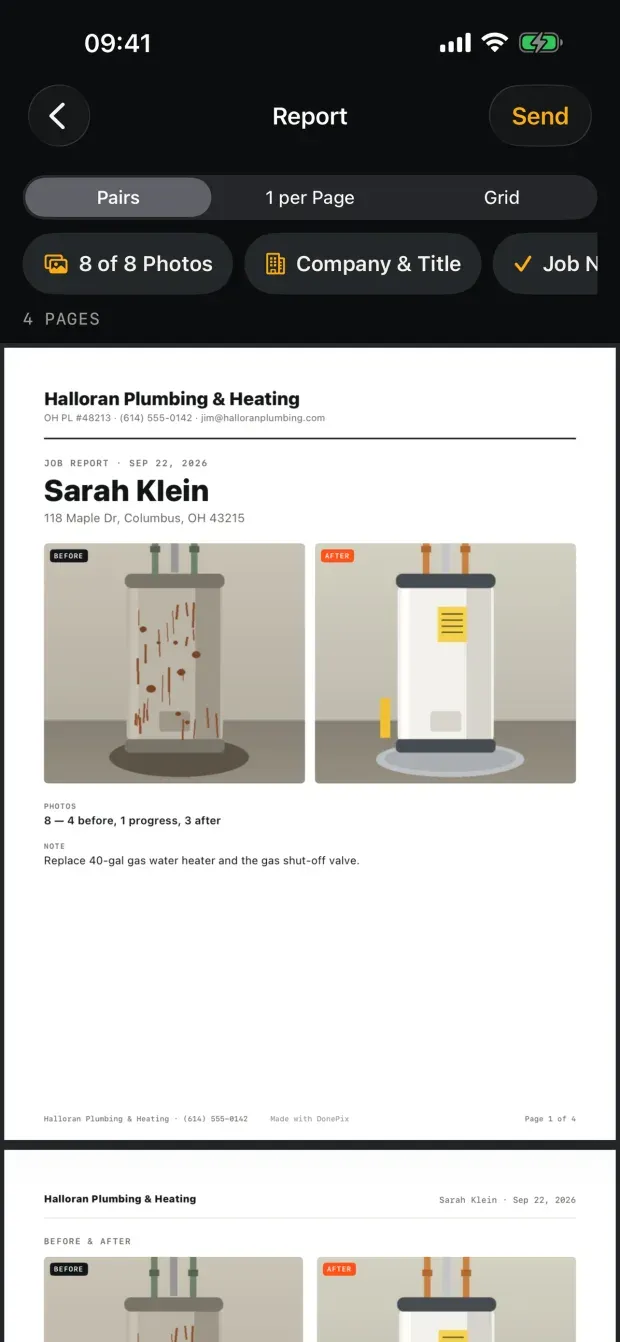
The job in those screens is the sample the screenshot test builds, and its photos are placeholder artwork rather than real site photos. The app around them is the real thing.
Marking up a photo
Draw an arrow or a circle on the leak, the crack, the loose wire. The drawing is stored apart from the photo, so the original is never touched — you can take the markup off again, and the file the stamp vouches for stays as it was shot.
Nothing leaves the phone unless you send it
There is no account, no login, and no server of ours. The app carries no analytics, no crash reporting, no advertising and no third-party SDK of any kind. iCloud sync is off until you turn it on, and when you do, jobs and photos go to your own private iCloud — still nowhere near us.
What it is not
DonePix is not team software. No dashboard, no crew tab, no scheduling, no client database: everything runs through the one job screen, which is the whole reason the app stays quick to use with dirty hands.
The free plan keeps every feature, estimates and invoices included, for three jobs. Reports, estimates and invoices from the free version print a small “Made with DonePix” line in the page footer — never on the photos, because those are the evidence and they stay clean.