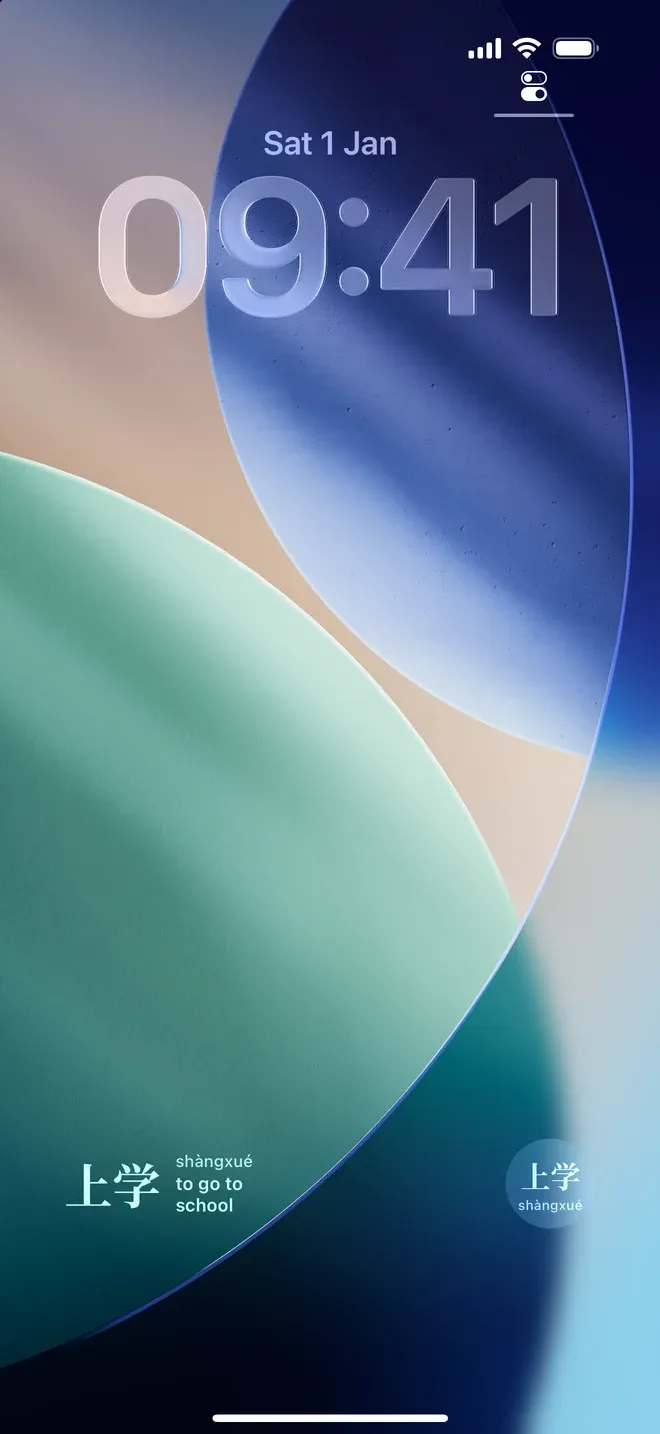
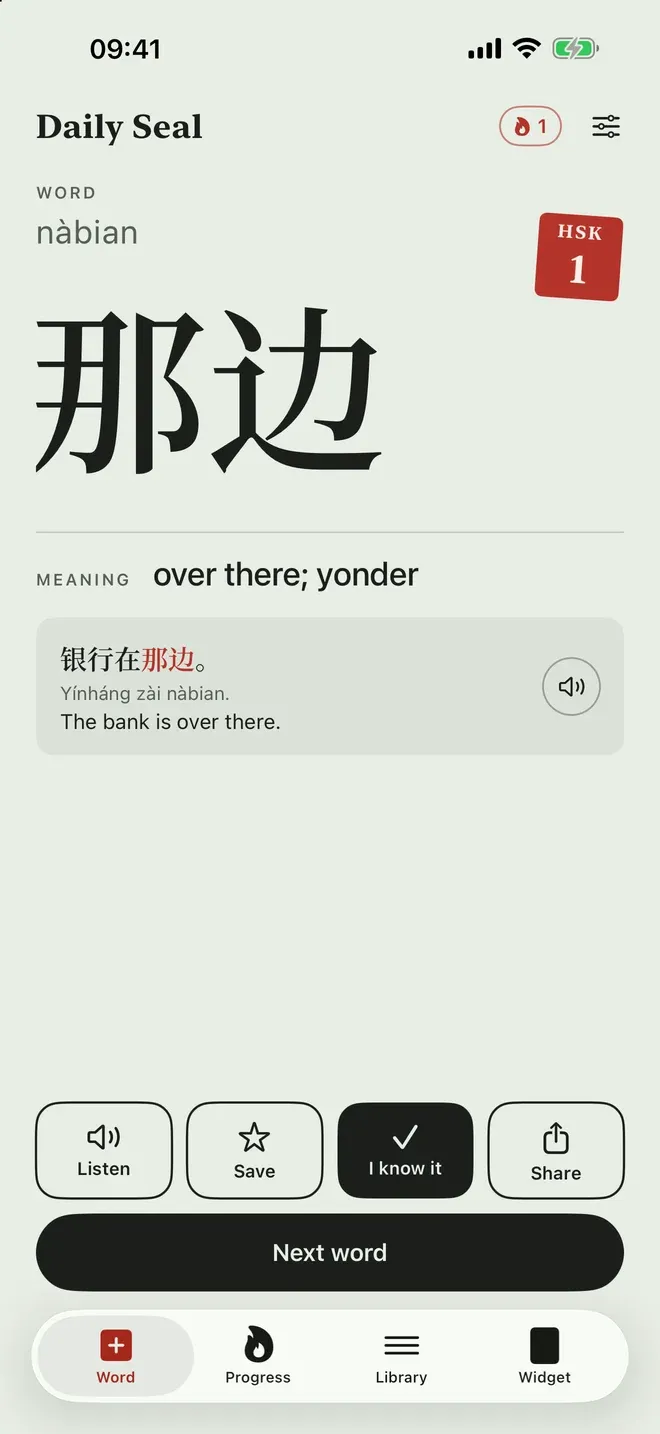
Daily Seal puts one Chinese word on your Lock Screen and Home Screen: the characters, the pinyin
and the meaning in your own language. The word changes on the schedule you pick, so every time you
check the time you see it again, until you know it without reading the pinyin.
It is not released. It is getting ready for App Review, and there is no App Store listing and no
release date yet.
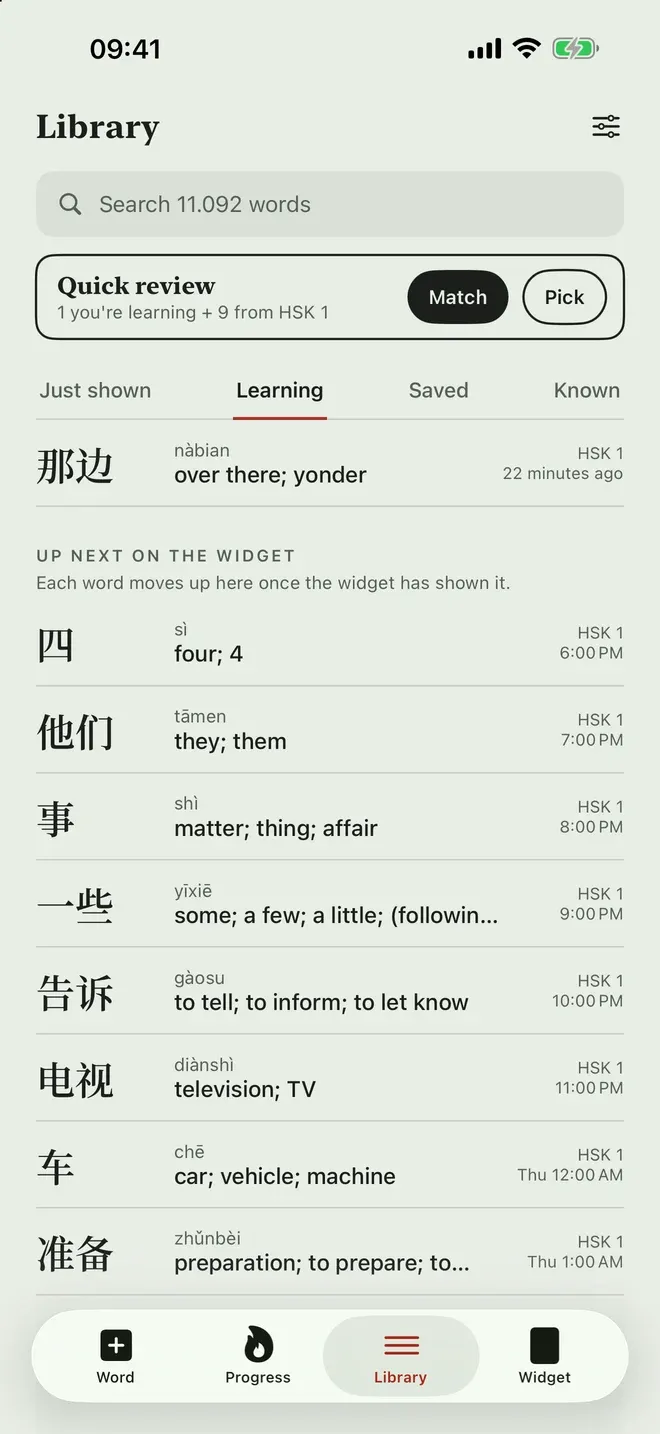
The word under the clock.Each word with an example, read aloud.What you have seen, and what comes next.
Widgets
Lock Screen: the word with its pinyin and meaning beside it, the characters alone in a circle
with the pinyin underneath, or one line above the clock.
Home Screen in three sizes, with the HSK level on a red seal. The medium and large sizes add
an example sentence with the word marked in red, and show how the word is built: 干什么 is 干,
to do, and 什么, what.
One set of options for every widget: pinyin, meaning and example sentence, each on or off,
and a new word every 30 minutes, every hour, every two hours or once a day.
Words at your level
The vocabulary is HSK 3.0, from level 1 to levels 7–9 (11,092 words), one level or several at once.
A short placement check asks how much you know and lets you tap the words you recognise, so the
widget starts where new words begin. Characters are Simplified or Traditional.
Meanings and example sentences come in English, Vietnamese, Japanese, Korean, Thai, Indonesian,
Spanish, Portuguese, French and German. Vietnamese learners also see each word’s Sino-Vietnamese
reading, which makes many words easy to remember.
Learning that sticks
Tap I know it and the word does not come back.
Words you have seen return on a widening schedule, mixed in with new ones.
Quick review in the app: match words with their meanings, or pick the right meaning.
The Library keeps what the widget has shown, what you are learning, saved and known, and the
next words coming up with their times.
Up to three reminders a day, each one a word, with quiet hours at night, or none at all.
A streak and a grid of the days you studied, and any word or the streak shared as a picture.
What it does not do
No account, no server, no analytics, no ads and no third-party code. Every word is inside the app,
so it works offline, and your progress and settings stay on your iPhone. There are no lessons,
speaking practice, pronunciation scoring or handwriting: it is for learning to recognise words.
Honest limits
The Lock Screen is one colour. iOS tints Lock Screen widgets itself, so the red seal shows only
on the Home Screen and in the app.
iOS decides when a widget redraws, so a new word can take a moment to appear.
Words are read by your iPhone’s own voices. How they sound depends on the Chinese voices
installed on the phone.
Pinyin and English meanings come from CC-CEDICT; the other languages and the example sentences
were written with AI from those meanings.